
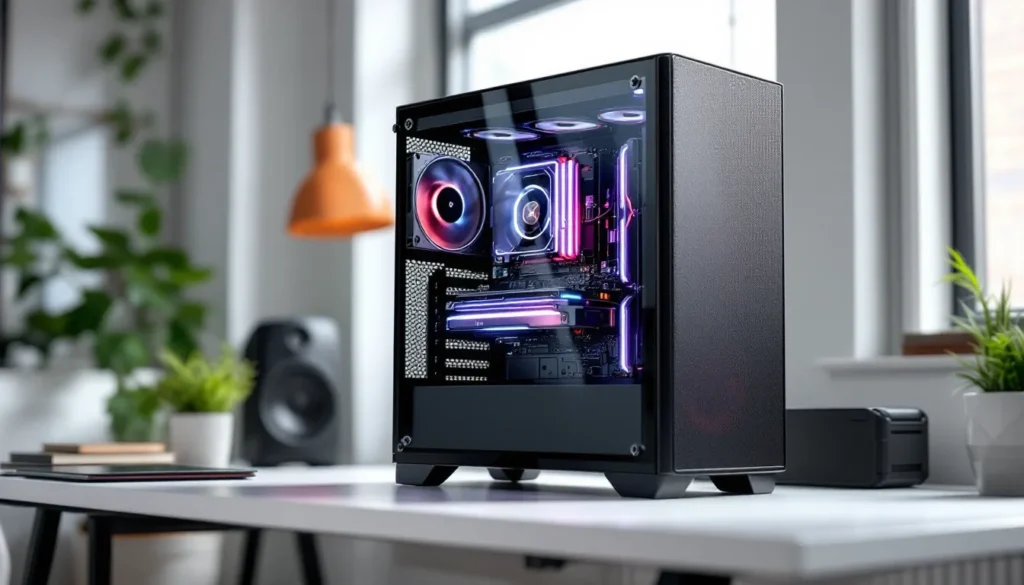
Building a gaming PC in 2026 isn’t just about grabbing the most expensive GPU and calling it a day. It’s about understanding how each component works together to deliver smooth framerates, minimal input lag, and the kind of performance that makes competitive gaming feel responsive and immersive single-player titles look stunning.
Whether someone’s looking to break into PC gaming for the first time or upgrade from a pre-built system that’s showing its age, knowing exactly what’s needed eliminates guesswork and budget-draining mistakes. The good news? Building has never been more accessible, with better compatibility standards, clearer labeling, and a wealth of community resources to lean on.
This guide breaks down every essential component, the tools required, budget tiers, compatibility checks, and common pitfalls to avoid. By the end, anyone will have a clear roadmap to source, assemble, and power up their first custom gaming rig.
Key Takeaways
- Building a gaming PC requires eight essential components—CPU, GPU, motherboard, RAM, storage, PSU, case, and cooling—each playing a critical role in overall performance and compatibility.
- The GPU is the most important component for gaming performance and typically consumes the largest budget, with mid-range cards like the RTX 5070 or RX 8700 XT offering excellent 1440p high-refresh gaming.
- A mid-range gaming PC build costing $1,000–$1,500 represents the best value for most gamers, delivering 1440p high-settings performance or 1080p competitive gaming at 240+ FPS without compromise.
- When building a gaming PC, verify socket compatibility (Intel LGA1700, AMD AM5), check GPU and cooler clearance in your case, and ensure your PSU has adequate wattage with proper connectors for your components.
- First-time builders should avoid common mistakes like forgetting the I/O shield, not fully seating RAM, plugging the monitor into the motherboard instead of the GPU, and skimping on PSU quality.
- A well-planned gaming PC build remains competitive for 4–6 years with a mid-cycle GPU upgrade, and choosing platforms with expansion headroom maximizes long-term scalability and cost-effectiveness.
Understanding the Essential Components of a Gaming PC
Every gaming PC relies on eight core components working in harmony. Miss one, and the system won’t POST (power-on self-test). Cheap out on another, and bottlenecks will strangle performance. Here’s what each part does and why it matters.
The Central Processing Unit (CPU): Your Gaming Brain
The CPU handles game logic, AI calculations, physics simulations, and background tasks. In 2026, most modern titles leverage 6-8 cores effectively, though competitive shooters and esports titles still favor high clock speeds over core count.
Intel’s 14th Gen (Raptor Lake Refresh) and AMD’s Ryzen 7000/8000 series dominate the market. For gaming, the sweet spot is typically a mid-tier chip like the AMD Ryzen 5 8600 or Intel Core i5-14600K. These deliver excellent 1080p and 1440p performance without very costly.
High-refresh-rate gaming (240Hz+) benefits from CPUs with strong single-thread performance. Chips like the Ryzen 7 8700X or Intel i7-14700K push framerates higher in CPU-bound scenarios like Valorant, CS2, or Fortnite at competitive settings.
Don’t overlook integrated graphics on some CPUs. AMD’s Ryzen G-series chips include Radeon graphics, useful for troubleshooting or temporary builds while waiting on a GPU.
Graphics Card (GPU): The Heart of Gaming Performance
The GPU renders every frame, texture, and lighting effect. It’s the single most important component for gaming performance and typically consumes the largest chunk of the budget.
In 2026, NVIDIA’s RTX 50-series and AMD’s RX 8000 series lead the pack. Ray tracing and DLSS 4/FSR 4 upscaling are now standard features, making 4K gaming at 60+ FPS achievable on mid-to-high-end cards.
For 1080p gaming at high settings, cards like the RTX 5060 or RX 8600 XT handle modern AAA titles comfortably. Stepping up to 1440p high-refresh or 4K requires the RTX 5070 Ti or RX 8800 XT tier. Enthusiasts chasing 4K ultra at 120+ FPS will want flagship cards like the RTX 5090 or RX 8900 XTX.
VRAM matters more than ever. Games like Cyberpunk 2077: Phantom Liberty and Starfield can exceed 12GB at ultra textures. Aim for at least 12GB for 1440p, 16GB+ for 4K.
Motherboard: The Foundation That Connects Everything
The motherboard determines what CPU, RAM, and expansion cards can be installed. It’s the backbone of compatibility and future upgradability.
Key specs include:
- Chipset: Matches the CPU generation (Intel Z790/B760, AMD X670/B650)
- Socket type: LGA1700 for Intel 12th-14th Gen, AM5 for Ryzen 7000/8000
- RAM support: DDR5 is now standard in 2026, though DDR4 boards still exist for budget builds
- PCIe slots: PCIe 5.0 support future-proofs GPU and NVMe upgrades
- I/O: USB-C, Wi-Fi 7, and 2.5Gb Ethernet are increasingly common
For most builds, a mid-range B-series board (B760 or B650) offers the best value. Enthusiasts who plan to overclock or run multiple M.2 drives should consider Z790 or X670 boards.
RAM (Memory): Ensuring Smooth Multitasking and Performance
RAM temporarily stores data the CPU needs quick access to. Insufficient or slow memory causes stuttering, especially in open-world games or while streaming.
16GB DDR5 is the baseline for gaming in 2026. 32GB is ideal for multitaskers who stream, record, or keep Discord, browsers, and music apps open while gaming.
Speed matters. DDR5-5600 is the entry point, but DDR5-6000 to 6400 delivers measurable FPS gains in CPU-intensive titles. AMD’s Infinity Fabric architecture benefits particularly from faster RAM, with DDR5-6000 CL30 often considered the sweet spot for Ryzen 7000/8000 builds.
Buy RAM in dual-channel kits (2x8GB or 2x16GB) for optimal performance. Mixing brands or speeds can cause stability issues.
Storage Solutions: SSD vs HDD for Gaming in 2026
NVMe SSDs are non-negotiable for the boot drive and primary game library. They eliminate loading screens and enable DirectStorage, which reduces CPU overhead in supported titles.
A 1TB PCIe 4.0 NVMe SSD is the minimum. Drives like the Samsung 990 Pro, WD Black SN850X, or Crucial T700 offer 7000+ MB/s read speeds. PCIe 5.0 drives are available but offer minimal gaming benefit over Gen 4 at much higher prices.
HDDs still make sense for mass storage of older games, recordings, or media. A 2TB 7200 RPM drive costs a fraction of equivalent SSD capacity and works fine for games that don’t prioritize load times.
For competitive builds, install the OS and active games on the NVMe. Use HDD or SATA SSD for everything else.
Power Supply Unit (PSU): Delivering Stable Power to Your System
The PSU converts AC wall power into stable DC power for components. A cheap or underpowered PSU can crash systems, damage hardware, or fail spectacularly.
Wattage depends on the GPU and CPU. Use a PSU calculator (many are available on How-To Geek or manufacturer sites) to estimate needs, then add 20-30% headroom.
Typical wattage tiers:
- Entry builds (RTX 5060, Ryzen 5): 550-650W
- Mid-range (RTX 5070, i5-14600K): 750-850W
- High-end (RTX 5080/5090, i9): 1000W+
80 Plus certification indicates efficiency. Bronze is acceptable for budget builds, Gold is the sweet spot, and Platinum/Titanium suits high-wattage systems to reduce heat and electric bills.
Modular PSUs allow removing unused cables, improving airflow and aesthetics. Semi-modular is a good compromise.
Trusted brands include Corsair, Seasonic, EVGA (legacy stock), and be quiet.. Avoid no-name units, they’re a fire hazard.
PC Case: Housing Your Components with Style and Airflow
The case houses everything and dictates airflow, cable management, and build difficulty. In 2026, case design has evolved toward mesh fronts and improved thermals.
Key factors:
- Form factor: ATX (standard), Micro-ATX (compact), Mini-ITX (SFF builds)
- Airflow: Mesh panels outperform closed glass fronts for temps
- Cable management: Rear routing, Velcro straps, and PSU shrouds simplify builds
- GPU clearance: High-end cards exceed 320mm: verify specs
- Fan support: Most cases include 2-3 fans: check if additional fans are needed
Popular 2026 cases include the Fractal Design Torrent, Lian Li Lancool III, and NZXT H7 Flow. Budget builders can find solid options from Cooler Master and Phanteks under $80.
RGB and tempered glass are aesthetic choices. Prioritize function first, then style.
Cooling Systems: Keeping Your Gaming Rig Running Cool
Heat kills performance and component lifespan. Proper cooling maintains boost clocks and prevents thermal throttling.
Air coolers are the default. Tower coolers like the Thermalright Peerless Assassin 120 SE or Noctua NH-D15 handle most CPUs quietly and affordably. They require zero maintenance and can’t leak.
AIO liquid coolers (240mm-360mm) offer better cooling for high-TDP CPUs like the i9-14900K or Ryzen 9 8950X. They also look cleaner in windowed cases. Downsides include cost, pump noise, and potential (rare) leaks.
Most GPUs use built-in air coolers. Aftermarket models from ASUS, MSI, and Gigabyte offer better thermals and acoustics than Founders Edition cards.
Case fans matter. A balanced setup, 2-3 intake (front/bottom), 1-2 exhaust (rear/top), creates positive or neutral air pressure, reducing dust buildup. Arctic P12 and be quiet. Pure Wings 3 offer excellent value.
Thermal paste comes pre-applied on most coolers but reapplying after 2-3 years maintains contact.
Additional Hardware and Peripherals You’ll Need
Components alone won’t get anyone gaming. A few extras complete the setup.
Operating System and Essential Software
Windows 11 remains the dominant gaming OS in 2026. Most builders purchase a license key ($20-$140 depending on edition and legitimacy of the seller). Retail keys can transfer between builds: OEM keys lock to the first motherboard.
Linux gaming has improved dramatically thanks to Proton and Steam Deck compatibility layers, but anti-cheat issues persist in competitive titles like Valorant and Apex Legends.
Essential software includes:
- GPU drivers: GeForce Experience (NVIDIA) or Adrenalin (AMD)
- Monitoring tools: MSI Afterburner, HWiNFO64
- Game launchers: Steam, Epic, GOG, Xbox App
- Voice chat: Discord, TeamSpeak
Skip bloatware “game boosters”, they rarely help and often cause issues.
Monitor, Keyboard, and Mouse Considerations
The monitor determines how much GPU power gets used. A 4K 144Hz display demands far more than 1080p 60Hz.
For competitive FPS, prioritize high refresh rates (240Hz+) and low response times (1ms). TN and IPS panels both work: avoid VA for fast-paced games.
For immersive single-player, consider 1440p ultrawide or 4K 120Hz OLED panels. LG and Samsung lead the OLED gaming market.
Mechanical keyboards with low-latency 2.4GHz wireless or wired connections reduce input delay. Popular switches include Cherry MX Red (linear), Brown (tactile), and Razer Optical.
Gaming mice need precise sensors (PMW3395, HERO 25K, Focus Pro), low weight (under 70g for FPS), and comfortable ergonomics. Wireless latency is imperceptible on modern 2.4GHz dongles.
Don’t forget a mousepad. Desk-sized cloth pads from SteelSeries or Razer provide consistent glide and enough space for low-DPI arm aiming.
Tools Required for PC Assembly
Building a PC doesn’t require a workshop. A few basic tools get the job done.
Essential:
- Phillips-head screwdriver (#2): For motherboard standoffs, expansion slots, and case panels. Magnetic tips prevent dropped screws.
- Zip ties or Velcro straps: Cable management keeps airflow clear and aesthetics clean.
Helpful but optional:
- Anti-static wrist strap: Prevents ESD (electrostatic discharge) damage. Touching the case periodically works too.
- Flashlight or headlamp: Case interiors are dark: lighting helps with front-panel connectors.
- Tweezers: Retrieving dropped screws from tight spots.
- Thermal paste: Only needed if the cooler doesn’t include pre-applied paste or for reseating.
Most cases include necessary standoffs and screws. Component boxes often include extra mounting hardware.
Avoid metal bracelets, work on non-carpeted surfaces, and keep liquids far from components. Static discharge is rare with modern hardware but not impossible.
YouTube build guides (Linus Tech Tips, JayzTwoCents, Paul’s Hardware) walk through assembly step-by-step. First-time builders should budget 2-4 hours for a careful, methodical build.
Budget Planning: What to Expect at Different Price Points
Budget determines resolution, settings, and framerates. Here’s what each tier delivers in 2026.
Entry-Level Gaming Build ($600-$900)
This tier targets 1080p gaming at 60+ FPS on medium-high settings in most titles.
Sample build:
- CPU: AMD Ryzen 5 7500F or Intel i5-12400F
- GPU: RTX 5060 8GB or RX 8600 XT 12GB
- RAM: 16GB DDR5-5600
- Storage: 512GB NVMe SSD
- Motherboard: B650 or B660
- PSU: 550-650W 80+ Bronze
- Case: Budget mesh case (~$60)
- Cooler: Stock or budget tower cooler
This setup handles Fortnite, Apex Legends, and Valorant at high refresh rates. AAA titles like Starfield or Cyberpunk 2077 run at 60 FPS with settings tweaked.
Upgrade paths include adding another 16GB RAM stick and swapping the GPU in 2-3 years.
Mid-Range Gaming Build ($1000-$1500)
Mid-range builds target 1440p high settings at 100+ FPS or 1080p competitive gaming at 240+ FPS.
Sample build:
- CPU: AMD Ryzen 5 8600X or Intel i5-14600KF
- GPU: RTX 5070 12GB or RX 8700 XT 16GB
- RAM: 32GB DDR5-6000
- Storage: 1TB PCIe 4.0 NVMe SSD
- Motherboard: B650E or B760
- PSU: 750W 80+ Gold
- Case: Mid-tower with good airflow (~$100)
- Cooler: Tower air cooler or 240mm AIO
This tier is the sweet spot for most gamers. It handles VR, high-refresh esports, and demanding AAA titles without compromise. Reviews on Tom’s Hardware consistently recommend this budget bracket for balanced performance.
Future upgrades can include a 2TB secondary SSD and a GPU swap when the next generation launches.
High-End Gaming Build ($1600-$2500+)
High-end systems target 4K 120Hz gaming, 1440p 240Hz esports, or content creation workflows.
Sample build:
- CPU: AMD Ryzen 7 8700X or Intel i7-14700K
- GPU: RTX 5080 16GB or RX 8900 XT 20GB
- RAM: 32GB DDR5-6400 CL30
- Storage: 2TB PCIe 4.0 NVMe + 2TB HDD
- Motherboard: X670 or Z790
- PSU: 850-1000W 80+ Gold/Platinum
- Case: Premium case with excellent cable management
- Cooler: 360mm AIO or high-end tower cooler
This tier delivers flagship performance with overhead for streaming, recording, and multitasking. According to benchmarks from Hardware Times, these configurations maintain 120+ FPS in 4K ray-traced titles with DLSS/FSR enabled.
Enthusiasts can push budgets further with custom watercooling, RGB ecosystems, or flagship CPUs like the Ryzen 9 8950X or i9-14900KS.
Compatibility Considerations: Making Sure Everything Works Together
Mismatched parts lead to non-functional systems or returned components. Double-check these areas before ordering.
CPU and Motherboard Socket Compatibility
CPUs only fit specific sockets. Intel 12th-14th Gen requires LGA1700 motherboards. AMD Ryzen 7000/8000 requires AM5 motherboards.
Older platforms (AM4, LGA1200) still exist but lack support for DDR5, PCIe 5.0, and newer features.
Chipset matters too. Budget B-series boards lack overclocking support and have fewer PCIe lanes than Z-series (Intel) or X-series (AMD). Check the motherboard’s CPU support list on the manufacturer’s website, BIOS updates sometimes enable newer CPUs on older boards.
Power Supply Wattage and Connector Requirements
High-end GPUs like the RTX 5080/5090 use 12VHPWR connectors (16-pin). Older PSUs require adapter cables (usually included with the GPU), but native 12VHPWR PSUs reduce cable clutter.
Ensure the PSU has enough:
- 8-pin CPU power (1-2 connectors)
- PCIe power (usually 2x 8-pin or 1x 12VHPWR)
- SATA power for drives and RGB hubs
Modular PSUs simplify cable management but cost slightly more. Semi-modular keeps essential cables attached (24-pin ATX, 8-pin CPU) while allowing removal of SATA and PCIe cables.
Case Size and Component Clearance
Cases come in Full Tower, Mid Tower, Micro-ATX, and Mini-ITX sizes. Most builds use mid-tower ATX cases.
Verify:
- GPU length: High-end cards exceed 320mm. Check case specs.
- CPU cooler height: Large tower coolers can exceed 160mm. Some cases max out at 170mm clearance.
- PSU length: Modular PSUs are slightly longer: case specs list max PSU length.
- Motherboard form factor: ATX cases support ATX, Micro-ATX, and Mini-ITX. Smaller cases may only fit Micro-ATX or Mini-ITX.
Small form factor (SFF) builds are trendy but require careful planning. GPUs, coolers, and PSUs must meet tighter constraints.
Where to Buy Your PC Components in 2026
Sourcing parts from reputable sellers saves headaches. Here are the best options.
Online retailers:
- Newegg: Wide selection, frequent sales, combo deals
- Amazon: Fast shipping, easy returns, Prime benefits
- B&H Photo Video: No tax in most states, reliable shipping
- Micro Center (in-store + online): Excellent in-person support, CPU/motherboard bundles, open-box deals. Locations are limited but worth the drive.
Manufacturer direct:
- EVGA (legacy stock), ASUS, MSI, Gigabyte: Buy GPUs and motherboards direct during shortages or new launches
- AMD and Intel: Occasionally sell CPUs direct
Used market:
- r/hardwareswap (Reddit), eBay, Facebook Marketplace: Good for last-gen GPUs, cases, and peripherals. Avoid used PSUs, failure risk isn’t worth savings.
- Local classifieds: Meet in public, test components before buying
Price tracking:
- PCPartPicker: Aggregates prices, checks compatibility, and tracks price history
- CamelCamelCamel: Amazon price tracking
- Honey/Rakuten: Browser extensions for cashback and coupons
Avoid sketchy third-party sellers on Amazon or eBay. Stick to verified sellers or fulfilled-by-Amazon listings. Check return policies before buying.
Timing matters. Black Friday, Cyber Monday, and post-launch sales (when new GPU generations drop) offer the best discounts.
Common Mistakes to Avoid When Building Your First Gaming PC
First-time builders often trip up on a few recurring issues. Avoid these pitfalls.
Forgetting the I/O shield. The small metal plate that snaps into the case rear must be installed before the motherboard. It’s easy to forget and frustrating to backtrack.
Not seating RAM fully. RAM requires firm, even pressure until the side clips snap into place. Half-seated RAM prevents booting.
Plugging monitor into motherboard instead of GPU. If a discrete GPU is installed, the motherboard’s video outputs are usually disabled. Always plug the monitor into the GPU’s HDMI/DisplayPort.
Skimping on the PSU. Cheap PSUs lack protections (OVP, OCP, UVP) and can destroy components during failure. Spend the extra $20-30 for a reputable 80+ Gold unit.
Ignoring standoffs. Motherboard standoffs prevent shorting against the case. Installing a board directly onto metal causes instant failure. Most cases come with standoffs pre-installed for ATX layouts.
Over-tightening screws. Hand-tight is sufficient. Over-torquing cracks PCBs or strips threads.
Forgetting to peel cooler plastic. Many coolers have protective plastic over the cold plate. Leaving it on causes thermal throttling and potential damage.
Poor cable management. While it doesn’t affect performance much, tangled cables block airflow and make future upgrades harder. Use the case’s cable routing channels and tie-downs.
Not updating BIOS/drivers. After the first successful boot, update motherboard BIOS and GPU drivers. Stability and performance improve significantly.
Panicking when it doesn’t POST immediately. Recheck power connections (24-pin ATX, 8-pin CPU, GPU power), RAM seating, and front-panel connectors. Breadboarding outside the case helps isolate issues.
Patience wins. Rushing leads to bent pins, stripped screws, and unnecessary RMAs.
Future-Proofing Your Build: Upgrade Paths and Scalability
Smart component choices extend a build’s lifespan and make upgrades easier.
Choose a platform with headroom. AM5 motherboards will support future Ryzen generations through at least 2027. Intel’s LGA1700 is nearing end-of-life in 2026, but 12th-14th Gen CPUs still have years of relevance.
Buy enough PSU wattage upfront. If planning to upgrade to a flagship GPU later, a 1000W PSU avoids needing a second purchase. Quality PSUs last 7-10 years.
Get a motherboard with extra M.2 slots. Modern boards offer 2-4 M.2 slots. Filling them later is cheaper than replacing the boot drive. Those interested in enhancing their gaming environment should consider expansion options early.
Prioritize GPU budget over CPU. A mid-tier CPU paired with a strong GPU outperforms the reverse in gaming. Upgrading GPUs is straightforward: swapping CPUs often requires BIOS updates or cooler changes.
Start with 16GB RAM, but buy a board with 4 DIMM slots. Popping in another 16GB kit down the line is simple and affordable.
Pick a case with good airflow and tool-free panels. Upgrading components in a cramped, screw-heavy case is miserable. Spacious designs make swaps painless.
Avoid first-gen technology. PCIe 5.0 SSDs and DDR5-8000+ RAM cost a fortune with minimal real-world benefit. Let early adopters fund R&D: buy in once prices stabilize.
Keep packaging and receipts. Warranties often require original packaging. Storing boxes also simplifies reselling old parts to fund upgrades.
A well-planned build in 2026 should remain competitive for 4-6 years with a mid-cycle GPU upgrade. CPUs, RAM, and storage typically last longer before bottlenecking new titles.
Conclusion
Building a gaming PC in 2026 demands more planning than execution. The actual assembly takes a few hours: the research, part selection, and compatibility checks are where success is determined. Anyone who invests time understanding how components interact, budgets appropriately for their target resolution and framerate, and avoids common first-time mistakes will end up with a system that outperforms similarly priced pre-builts.
The market has never been friendlier to DIY builders. Component availability is stable, prices are reasonable outside of flagship GPUs, and resources like PCPartPicker eliminate compatibility guesswork. Whether targeting 1080p esports, 1440p all-around gaming, or 4K cinematic experiences, the right combination of CPU, GPU, RAM, and storage exists at nearly every price point.
Most importantly, a custom build isn’t static. Thoughtful initial choices, a quality PSU, a motherboard with expansion slots, a spacious case, turn a 2026 build into a platform that evolves through GPU swaps, storage additions, and incremental upgrades. That flexibility, combined with the satisfaction of assembling and troubleshooting the system personally, is what keeps builders coming back to DIY long after their first POST beep.