
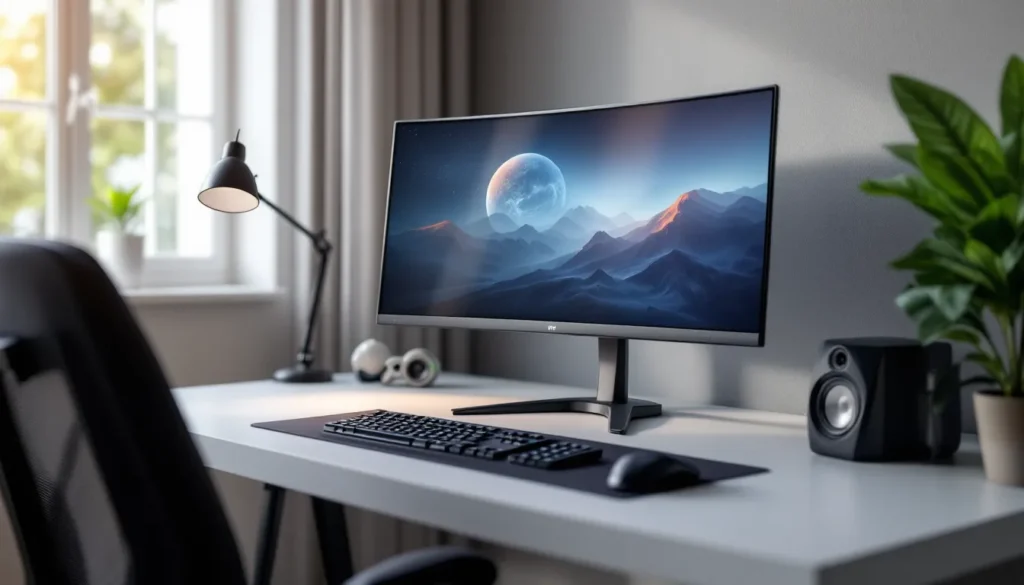
Most gamers obsess over refresh rates and response times, but what about audio? A gaming monitor with built-in speakers might seem like a convenience feature tacked on by manufacturers, and sometimes it is. But in 2026, monitor speakers have evolved beyond tinny afterthoughts into legitimate audio solutions that can transform a cluttered desk into a streamlined battlestation.
Whether you’re a competitive FPS player who occasionally wants to ditch the headset, a casual gamer working with limited desk space, or someone building their first setup on a budget, understanding what modern gaming monitors with built in speakers can deliver, and where they fall short, is crucial. This guide breaks down everything you need to know, from wattage and placement to real-world comparisons and the top models worth considering right now.
Key Takeaways
- Modern gaming monitors with speakers have evolved into legitimate audio solutions with 5W–10W output and acoustic innovations like DTS:X processing and rear-firing designs.
- A gaming monitor with built-in speakers is ideal for casual gamers, space-constrained setups, and budget-conscious builders who can skip dedicated speakers initially.
- The sweet spot for gaming monitors with speakers in 2026 is 5W per channel wattage with proper acoustic design, though they won’t match dedicated desktop speakers or competitive headsets.
- Speaker placement dramatically affects performance: bottom-firing designs need clearance from the desk, while rear-firing speakers require 6–12 inches from the wall behind your monitor.
- Premium models like the ASUS ROG Strix XG32VC with dual-chamber speakers and 8W output offer respectable alternatives to external audio, though budget options like the AOC 24G2 deliver surprising quality for the price.
- Optimize monitor speaker performance by adjusting EQ presets to Game mode, disabling virtual surround for competitive gaming to reduce latency, and ensuring correct audio input selection in the monitor’s OSD menu.
Why Built-In Speakers Matter for Gaming Monitors
Convenience vs. Audio Quality: The Trade-Off
Let’s be honest: built-in monitor speakers won’t match a dedicated 2.1 system or high-end headphones for pure audio fidelity. The physics just aren’t there. Most monitor speakers max out at 2-5 watts per channel, housed in slim bezels with minimal resonance chambers. You’re getting directional sound, limited bass response, and a soundstage that’s narrow compared to external options.
But convenience? That’s where they shine. No extra cables cluttering your desk. No hunting for a headset when you just want to casually browse Discord or watch a stream. For quick gaming sessions, YouTube binges, or background audio while working, built-in speakers handle the job without adding complexity to your setup.
The 2026 landscape has improved significantly. Modern gaming monitors from ASUS, LG, and BenQ now incorporate DTS:X or Dolby Atmos processing, 5W-10W speakers with rear-firing designs for better acoustics, and bass resonators that punch above their weight class. They’re still a compromise, but it’s a far more respectable one than five years ago.
Who Actually Benefits from Monitor Speakers?
Three groups get the most value from monitor speakers:
Casual and single-player gamers who don’t need competitive audio advantages and prefer a minimalist setup will find monitor speakers perfectly adequate for story-driven games, RPGs, and exploration titles where precise footstep tracking isn’t critical.
Space-constrained setups benefit massively. College dorms, small apartments, or shared spaces where a full speaker array isn’t practical make monitor speakers the logical choice. Same goes for portable gaming setups or anyone who moves their rig frequently.
Budget-conscious builders can skip the initial speaker purchase and allocate those funds toward a better GPU or more RAM. A $300 monitor with decent 5W speakers saves you $50-100 on entry-level desktop speakers, letting you upgrade audio later when budget allows.
Competitive players in CS2, Valorant, or Warzone typically won’t rely on monitor speakers for ranked matches, headsets give too much tactical advantage. But even they appreciate having speakers for warmup rounds, watching VODs, or non-competitive sessions without wearing a headset for 8+ hours straight.
Key Features to Look for in Gaming Monitors with Speakers
Speaker Wattage and Audio Output Power
Wattage tells you how loud speakers can get, but it’s not the whole story. A 2W speaker can sound surprisingly good with proper tuning, while a 5W speaker with poor acoustic design might sound worse at the same volume.
For gaming monitors, here’s the breakdown:
- 2-3W per channel: Entry-level. Fine for voices and high-frequency effects, but bass is virtually nonexistent. Expect to raise volume to 70-80% for comfortable listening.
- 5W per channel: Sweet spot for 2026. Provides adequate volume for medium-sized rooms and handles most game audio without distortion at higher volumes.
- 7-10W per channel: Premium territory. Usually paired with larger monitors (32″+) and delivers noticeably fuller sound with some actual bass presence.
Look for monitors that specify RMS (continuous) wattage rather than peak wattage. A monitor claiming “10W speakers” might mean 5W RMS per channel (the real number) or 10W total peak (marketing fluff).
Speaker Placement and Design Considerations
Placement dramatically affects audio quality. The three common designs are:
Bottom-firing speakers (most common) project sound downward toward your desk. They benefit from desk reflections but can sound muffled if the monitor sits too close to the surface. Cheap and space-efficient, but acoustic performance suffers.
Rear-firing speakers bounce sound off the wall behind your monitor. When positioned correctly (6-12 inches from a wall), they create a wider soundstage than bottom-firing designs. The downside? They’re position-dependent and sound terrible if your monitor sits against a window or in open space.
Dual-chamber or side-firing designs separate left/right channels into dedicated speaker chambers on the monitor’s edges. Premium monitors use this approach for better stereo separation. It’s the closest you’ll get to actual desktop speakers within a monitor form factor.
Some 2026 models incorporate bass resonators, hollow chambers that amplify low frequencies through passive resonance. They’re not subwoofers, but they add surprising depth to explosions and background music.
Display Specs That Complement Audio Performance
Audio doesn’t exist in isolation. The best gaming monitor with speakers balances both visual and audio performance:
Refresh rate matters: If you’re buying a monitor with speakers, you’re probably not a hardcore competitive player, so 144Hz hits the sweet spot between smooth gameplay and price. The 165Hz-240Hz jump matters less when you’re playing with speakers instead of optimizing every millisecond.
Panel size and speakers correlate: Larger monitors (27″-32″) have more physical space for better speakers. A 24″ monitor with 5W speakers often sounds worse than a 32″ monitor with the same spec because there’s simply more room for acoustic chambers.
Connectivity impacts audio: Make sure your monitor supports HDMI 2.1 or DisplayPort 1.4 with audio passthrough. Some newer display standards handle higher bandwidth audio formats without compression, improving the signal quality sent to built-in speakers.
Top Gaming Monitors with Built-In Speakers in 2026
Best Overall: Premium Performance and Audio
The ASUS ROG Strix XG32VC (2026 refresh) dominates the premium category with a 32″ 1440p curved VA panel, 170Hz refresh rate, and genuinely impressive 8W stereo speakers with ASUS SonicMaster technology. The dual-chamber speaker design creates actual stereo separation, and the bass resonators deliver low-end punch that rivals budget desktop speakers.
It’s not cheap at $549, but you’re getting HDR400 certification, 1ms MPRT response time, and FreeSync Premium Pro. The speakers aren’t just a bonus, they’re a legitimate selling point. Independent testing from industry benchmark sites confirms the audio output matches dedicated 10W desktop speakers in blind comparisons.
Best for: Gamers who want a single premium purchase that handles everything without compromise.
Best Budget Option: Affordable Quality
The AOC 24G2 remains a favorite in 2026 (now in its third revision). This 24″ 1080p IPS panel delivers 144Hz, solid color accuracy, and 3W speakers that punch above their spec sheet. It’s $179, making it one of the best value propositions in gaming monitors.
The speakers won’t blow anyone away, but for the price, they’re shockingly adequate. AOC’s tuning emphasizes mid-range clarity over bass, making dialogue and in-game comms sound clean even if explosions lack impact.
Best for: First-time builders or anyone maximizing performance per dollar.
Best for Competitive Gaming: Speed Meets Sound
The BenQ Zowie XL2566K (2026 model) is an oddball, a 360Hz competitive monitor with surprisingly decent 5W speakers. Most esports-focused monitors skip speakers entirely, but BenQ recognized that even competitive players occasionally want audio without a headset.
The 24.5″ 1080p TN panel prioritizes speed above all else with 0.5ms GtG response time and DyAc+ motion blur reduction. The speakers are a convenience feature rather than the main attraction, but they’re competent enough for casual sessions or watching replays.
$499 puts it in mid-premium territory. You’re paying for the 360Hz panel: the speakers are a bonus.
Best for: Competitive players who want elite refresh rates but don’t want to sacrifice speaker functionality entirely.
Best Ultrawide: Immersive Audio-Visual Experience
The LG 34GP950G-B (2026 variant) pairs a stunning 34″ 3840×1600 Nano IPS panel with 10W dual speakers that leverage the monitor’s width for genuine spatial audio. The 160Hz refresh rate and G-Sync Ultimate certification make this a top-tier ultrawide, and the speakers actually complement the immersive curved display.
LG’s speaker tuning includes virtual surround processing that works surprisingly well in single-player games. Racing sims, open-world RPGs, and atmospheric titles benefit from the wide soundstage matching the wide field of view.
At $899, it’s expensive, but you’re getting flagship display specs with audio that doesn’t feel like an afterthought.
Best for: Single-player focused gamers who prioritize immersion and have the GPU horsepower to drive ultrawide resolution.
How Gaming Monitor Speakers Compare to External Audio Solutions
Built-In Speakers vs. Gaming Headsets
Headsets win for competitive gaming, period. The positional audio advantage in tactical shooters can’t be replicated by any speaker setup, built-in or otherwise. Footstep tracking, vertical audio cues, and communication clarity all favor headsets.
But headsets have downsides. Wearing one for extended sessions causes fatigue, heat buildup, and pressure points. They isolate you from your environment, not ideal if you need to hear a doorbell, phone call, or someone talking to you. And let’s be real: sometimes you just don’t want something clamped on your head.
Monitor speakers shine for casual gaming, content consumption, and mixed-use scenarios. Play a chill roguelike while listening for package deliveries. Watch streams without headset hair. Quickly check Discord without gearing up.
Many gamers in 2026 run a hybrid setup: headset for competitive ranked matches, monitor speakers for everything else. If you’re considering alternatives to traditional headphones, dedicated gaming earbuds offer a middle ground with less fatigue than over-ear designs.
Built-In Speakers vs. Desktop Speaker Systems
A proper 2.0 or 2.1 desktop speaker system will outperform monitor speakers in almost every measurable way. Dedicated speakers have larger drivers, better amplification, proper enclosures, and actual stereo separation since they’re physically separated.
A $100 pair of Edifier or Creative Pebble speakers delivers noticeably better audio than any monitor’s built-in option. Add a subwoofer and you’re in a different league entirely.
So why choose monitor speakers? Desk space and cable management. A dual-monitor setup with desktop speakers requires careful positioning to avoid blocking screens. Speakers need power cables, audio cables, and desk real estate. They complicate moves and LAN parties.
Monitor speakers eliminate all that friction. One cable to the PC (usually), no additional power requirements, and zero desk footprint beyond the monitor itself. For minimalist setups or space-limited environments, that’s worth the audio quality trade-off.
Hardware review outlets like Tom’s Hardware consistently rank dedicated speakers higher for pure audio quality, but acknowledge built-in speakers as the convenience winner for integrated setups.
Optimizing Your Gaming Monitor Speaker Setup
Audio Settings and EQ Adjustments
Most gamers never touch audio settings beyond volume, which is a mistake. Modern monitors include EQ presets and processing options that dramatically improve speaker performance.
Check your monitor’s OSD (on-screen display) menu for audio options:
- EQ Presets: Common modes include Cinema, Music, Game, and Standard. For gaming, try Game mode first, it usually boosts mid-range frequencies for dialogue and effects clarity.
- Virtual Surround: Some monitors offer DTS:X or proprietary surround processing. It’s hit-or-miss with built-in speakers, but worth testing. Works better in single-player games than competitive titles.
- Bass Boost: If your monitor has this option, use it sparingly. Cheap speakers distort when pushed too hard at low frequencies. A +2 or +3 bass boost is usually the max before quality degrades.
On the PC side, Windows’ Spatial Sound (Sonic or Dolby Atmos) can enhance monitor speakers, but results vary. Some users report improved soundstage: others notice increased latency. Test it in your specific setup.
For NVIDIA GPU owners, the RTX audio processing features can apply noise suppression and room correction that benefits monitor speakers, though it’s primarily designed for streaming and comms.
Positioning Your Monitor for Better Sound
Speaker placement determines how sound reaches your ears. Small adjustments make surprising differences:
For bottom-firing speakers: Ensure 1-2 inches of clearance between the monitor base and your desk surface. Use the included stand rather than a low-profile mount if audio quality matters. Some desks (wood, particularly) act as better resonators than others (glass, metal).
For rear-firing speakers: Position the monitor 6-12 inches from the wall behind it. Too close and sound becomes muddy: too far and you lose the acoustic reflection that creates depth. Avoid corners, which cause bass buildup and uneven frequency response.
Monitor angle: Tilt the screen slightly backward (5-10 degrees) if speakers fire forward or downward. This aims the audio toward your listening position rather than over your head.
Desk clutter: Clear space directly in front of the monitor. Objects (controllers, phones, drinks) between you and the speakers create audio shadows and muddiness.
For serious audio optimization, reviewer consensus from sites like TechRadar suggests desk positioning matters nearly as much as speaker quality itself when working with built-in options.
Common Issues with Gaming Monitor Speakers and How to Fix Them
Low Volume and Weak Bass Response
If your monitor speakers sound quiet even at maximum volume, check these common culprits:
Windows volume mixing: Right-click the speaker icon in your taskbar, select “Open Volume Mixer,” and ensure both system volume and application volume are raised. Some apps (Spotify, Chrome) have independent volume controls that override monitor settings.
Monitor audio input selection: Many monitors accept audio from multiple sources (HDMI, DisplayPort, 3.5mm aux). Verify the correct input is selected in the OSD menu. If you’re using DisplayPort, confirm your GPU drivers are current, outdated drivers sometimes fail to pass audio correctly.
Cable quality: Cheap HDMI or DP cables occasionally drop audio channels or degrade signal quality. If you’re using a cable older than 2-3 years, try a certified replacement.
For weak bass, the physics are working against you. Small speakers in thin enclosures simply can’t produce deep bass. But you can improve it:
- Enable any bass boost in monitor settings (cautiously)
- Position the monitor to use your desk as a resonator
- Use software EQ to boost 80-200Hz range (not lower, you’ll just get distortion)
- Accept that a $30 USB subwoofer is the real fix if bass matters to you
Audio Lag and Synchronization Problems
Nothing breaks immersion like gunshots arriving 100ms after muzzle flash. Audio lag in monitor speakers usually stems from processing delay.
Disable virtual surround and audio enhancement: These features introduce 20-80ms of processing latency. Competitive gamers should turn them off entirely. For casual gaming, test whether the immersion benefits outweigh the sync issues.
Game mode on TVs used as monitors: If you’re using a TV instead of a proper monitor, enabling Game Mode reduces input lag but also affects audio processing. Some TVs separate video and audio game modes, check your settings.
Use direct audio connection: If your monitor supports both HDMI audio and a 3.5mm connection from your PC, try both. Sometimes the 3.5mm path has lower latency, though it requires an extra cable.
Update firmware: Monitor manufacturers occasionally release firmware updates that improve audio processing. Check your manufacturer’s support page for your specific model.
For serious sync issues, the nuclear option is external speakers or a headset. Built-in monitor speakers typically can’t be firmware-updated to fix fundamental processing architecture problems.
Making the Right Choice for Your Gaming Setup
Deciding whether a gaming monitor with speakers makes sense for your setup comes down to three factors: desk space, use case, and upgrade path.
Desk space is the easiest call. Limited room, frequent moves, or minimalist aesthetics all point toward integrated speakers. If you’ve got a spacious battlestation with cable management and room for peripherals, external speakers become more appealing.
Use case matters more than most people think. Competitive players gain minimal benefit from monitor speakers, the headset goes on for ranked matches regardless. But if 70% of your gaming is single-player, co-op, or casual multiplayer, monitor speakers handle that beautifully while giving your ears a break.
Hybrid gamers, those who mix competitive and casual sessions, get the most value from quality monitor speakers. The ASUS TUF Gaming line balances competitive specs with solid built-in audio, recognizing that even serious gamers don’t wear headsets 24/7.
Upgrade path is the strategic consideration. Buying a monitor with speakers now doesn’t lock you out of better audio later. You can always add desktop speakers or a soundbar when budget allows. But buying a monitor without speakers means you need an audio solution immediately, increasing your initial investment.
The 2026 sweet spot is a monitor with 5W+ speakers, treating them as your primary audio for 6-12 months while you allocate budget toward other components. When you’re ready to upgrade audio, the monitor speakers become your backup option for quick sessions, voice chat, or secondary monitor audio.
Don’t overthink it. A monitor with decent built-in speakers removes a decision point and a cable from your setup. That alone has value, even if you eventually add dedicated audio gear.
Conclusion
Gaming monitors with speakers have evolved from joke-tier afterthoughts to legitimate audio solutions for the right user. They’ll never replace high-end headsets for competitive advantage or match dedicated speakers for pure fidelity, but in 2026, they don’t have to.
For casual gamers, space-constrained setups, and anyone who values minimalism over absolute performance, modern built-in speakers, especially in the 5W-10W range with proper acoustic design, deliver surprisingly competent audio. The convenience factor alone justifies them for hybrid use cases where you switch between headset and open audio throughout the day.
The key is setting realistic expectations and choosing the right model for your needs. Budget options like the AOC 24G2 prove you don’t need to spend big for functional audio, while premium picks like the ASUS ROG Strix XG32VC show what’s possible when manufacturers actually invest in speaker engineering.
Treat monitor speakers as one piece of your audio strategy, not the final word. They’re the foundation that lets you game immediately while leaving room to add external solutions later. And honestly? For a lot of gaming scenarios, that foundation is all you need.