
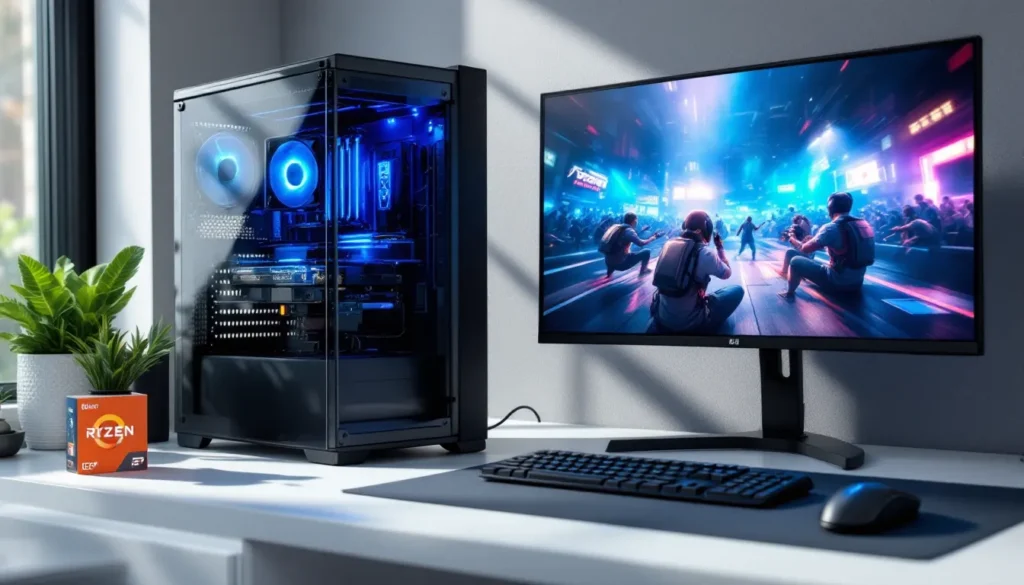
Building a gaming rig doesn’t require dropping a month’s rent on the latest GPU. In 2026, the budget gaming landscape has evolved significantly, AMD’s Ryzen 5000 series chips are hitting the used market at incredible prices, Intel’s Arc GPUs have matured with driver updates, and even the most demanding esports titles remain accessible on modest hardware. Whether someone’s scraping together $400 or stretching to $600, a low end gaming PC can deliver smooth frame rates in competitive shooters, run indie darlings without breaking a sweat, and handle older AAA titles better than most expect.
This guide cuts through the noise. No corporate buzzwords, no padding, just specific component recommendations, actual performance benchmarks, and optimization tricks that squeeze every last frame from budget hardware. From choosing between an Intel i3-12100F and a used Ryzen 5 5600 to knowing which Windows tweaks genuinely matter, this is everything needed to build and run a low end gaming PC that punches above its weight class.
Key Takeaways
- A low end gaming PC in the $350–$600 range targets 1080p gaming at medium-to-high settings with 30 FPS minimum, ideally 60+ FPS in competitive esports titles.
- Budget GPU options like the Intel Arc A580, AMD RX 6600, and used GTX 1660 Super deliver solid 1080p performance for under $200, with FSR 2.0+ or DLSS support extending frame rates by 20–40%.
- Building a custom low end gaming PC saves 10–20% compared to pre-builts and offers flexibility to allocate budget toward performance over aesthetics like RGB or premium features.
- Esports titles (Valorant, CS2, Rocket League) run at 100+ FPS on budget hardware, while carefully chosen AAA games and indie titles provide hundreds of excellent gaming options without compromise.
- Windows optimization tweaks (Game Mode, GPU scheduling, disabling background apps) and smart in-game settings adjustments (disabling anti-aliasing, shadows, enabling upscaling) yield 10–25% FPS gains without expensive upgrades.
- Prioritize dual-channel 16GB RAM, a reliable 80+ Bronze PSU, and NVMe SSD storage when building; these foundational choices prevent bottlenecks and ensure a low end gaming PC punches above its weight class.
What Qualifies as a Low End Gaming PC?
The term “low end” shifts every generation, but in 2026, it generally refers to systems built in the $350–$600 range. These machines aren’t pushing ray tracing or 4K ultra settings. Instead, they target 1080p gaming at medium-to-high settings, with frame rates that stay playable, 30 FPS minimum, ideally 60+ in esports titles.
Budget Constraints and Hardware Limitations
A low end gaming PC typically means compromises. The CPU might be a current-gen budget chip (like the Intel Core i3-13100F or AMD Ryzen 5 5500) or a previous-gen mid-tier processor picked up used. The GPU sits in the entry-level bracket, think Nvidia’s GTX 1650 successor territory, AMD’s RX 6500 XT, or Intel’s Arc A380.
RAM usually caps at 8GB–16GB, and storage leans heavily on smaller SSDs (250GB–500GB) or hybrid configurations with a boot SSD plus mechanical storage. The motherboard and PSU are basic but functional, often lacking premium features like RGB control, extensive I/O, or modular cabling.
These limitations don’t mean the system is worthless. They mean being strategic. A low end build won’t stream at 1440p while running Cyberpunk 2077, but it’ll handle Valorant, League of Legends, and Fortnite at high frame rates without stuttering.
Performance Expectations for Low End Systems
Realistic expectations separate satisfying budget builds from disappointment. In esports titles, Valorant, CS2, Rocket League, a properly configured low end PC should hit 100+ FPS at 1080p with settings on medium or high. Older AAA games (think 2018–2021 releases) run at 30–60 FPS on medium settings.
Newer AAA titles from 2024–2026 are tougher. Games like Starfield or Avatar: Frontiers of Pandora may require dropping to 900p or low settings to maintain 30 FPS. Upscaling tech like AMD FSR 2.0+ or Intel XeSS helps bridge the gap, often boosting frame rates by 20–40% with minimal visual loss.
Thermal performance matters too. Budget cases and coolers mean higher temps under load, which can throttle performance if airflow isn’t managed. Expect CPU temps in the 70–85°C range during gaming, and GPU temps climbing to 75–80°C.
The bottom line: low end doesn’t mean unplayable. It means choosing games wisely and tweaking settings intelligently.
Best Components for Building a Low End Gaming PC in 2026
Component selection makes or breaks a budget build. The used market has never been stronger, and new budget options have improved dramatically. Here’s where to allocate every dollar.
Choosing the Right Processor (CPU)
For new CPUs, the Intel Core i3-12100F (around $90–$110) remains a standout. Four cores, eight threads, and surprisingly strong single-core performance keep it relevant in 2026. It pairs well with budget B660 motherboards and doesn’t bottleneck mid-range GPUs.
AMD’s Ryzen 5 5500 ($90–$100 new) offers six cores but weaker single-thread performance than Intel’s 12th-gen i3. It’s solid for multitasking and future-proofing but loses in pure gaming FPS by 5–10% in CPU-bound scenarios.
The used market changes everything. A Ryzen 5 5600 ($80–$100 used) delivers six cores with significantly better performance than the 5500, often matching or beating the i3-12100F in multi-threaded games. Similarly, Intel’s i5-10400F or i5-11400F ($70–$90 used) provide six cores at bargain prices, though they require older motherboards.
Avoid: Anything older than Intel’s 10th gen or AMD’s Ryzen 3000 series unless it’s under $50. The performance-per-dollar falls off a cliff, and platform limitations (PCIe 3.0, DDR3 RAM) become real handicaps.
Graphics Card Options Under $200
The GPU is the heart of any gaming PC, and the sub-$200 market in 2026 offers more choices than ever, though not all are good ones.
New options:
- Intel Arc A580 ($160–$180): The dark horse. Driver maturity in 2025–2026 transformed Intel’s Arc lineup. The A580 delivers GTX 1660 Ti–level performance with better ray tracing support and excellent encoding for streaming. It struggles in older DirectX 9/11 games but shines in modern titles.
- AMD RX 6600 ($180–$200): Still available as stock clears, the 6600 offers solid 1080p performance (roughly on par with an RTX 3050) and 8GB VRAM. FSR support is a major bonus.
- Nvidia RTX 3050 ($190–$210): Technically over budget, but worth mentioning. DLSS and RTX features add longevity, though 8GB VRAM and a narrow memory bus limit performance in VRAM-heavy games.
Used market stars:
- GTX 1660 Super ($100–$130): The budget king of 2020 remains viable. 6GB VRAM, solid 1080p performance, and low power draw (120W TDP) mean it works with cheap PSUs.
- RX 580 8GB ($70–$90): Ancient (2017 launch) but surprisingly capable. The 8GB VRAM buffer helps in newer titles, though power consumption (185W TDP) is brutal. Testing from hardware review sites shows it still handles esports at 100+ FPS.
- RX 6500 XT ($110–$130): AMD’s controversial 2022 release. Extremely power-efficient (107W TDP) and affordable, but crippled by 4GB VRAM and PCIe 4.0 x4 bandwidth. Only viable on PCIe 4.0 systems: avoid on older platforms.
Skip: Anything with 4GB VRAM (except the 6500 XT in specific cases), Nvidia’s GTX 1050 Ti, or AMD’s RX 560. They’re e-waste in 2026.
RAM Requirements and Budget Memory Solutions
RAM debates are tired, but here’s the truth for low end builds: 16GB is ideal, 8GB is survivable with tweaks.
16GB (2x8GB) DDR4-3200 ($30–$45): The sweet spot. Dual-channel memory delivers 10–20% better frame rates than single-channel, and 3200MHz is the baseline for modern platforms. Brands matter less than speed and timings, grab whatever’s cheapest from Corsair, G.Skill, or TeamGroup.
8GB (2x4GB) DDR4-3200 ($18–$25): Functional for esports and older games, but newer AAA titles will swap to disk aggressively. Windows 11 alone consumes 4–5GB at idle. Only viable if upgrading to 16GB within 3–6 months.
DDR5 on a budget? Not in 2026, not at this price point. DDR5 and compatible motherboards still command a premium. Stick with DDR4.
Pro tip: Avoid mixing RAM kits. Dual-channel configs need matched sticks (same speed, timings, and capacity) for stability.
Storage: SSD vs HDD for Budget Builds
Never skimp on boot drive speed. An SSD is non-negotiable in 2026.
250GB NVMe SSD ($20–$30): The bare minimum. OS plus 2–3 games installed. Brands like Silicon Power, Patriot, or Western Digital’s Blue SN570 offer DRAM-less drives that still outpace SATA SSDs.
500GB NVMe SSD ($35–$50): The smart choice. Room for Windows, core applications, and 5–7 games. Performance differences between budget and premium NVMe drives (3000 MB/s vs 7000 MB/s) are invisible in gaming.
1TB HDD ($25–$35): Optional secondary storage. Mechanical drives are cheap bulk storage for media, older games, and screenshots. Load times are painful, but price-per-gigabyte is unbeatable.
Hybrid approach: A 500GB NVMe SSD ($40) plus a 1TB HDD ($30) totals $70 and provides flexibility. Install active games on the SSD, archive finished ones to the HDD.
Avoid: SATA SSDs unless they’re significantly cheaper (rare in 2026). NVMe is standard, and even budget motherboards include M.2 slots.
Motherboard and Power Supply Considerations
These components are boring until they fail. Budget wisely, but don’t cheap out.
Motherboards:
- Intel: B660 or H610 chipsets for 12th/13th-gen CPUs ($70–$100). H610 boards cut PCIe lanes and RAM slots but function fine for single-GPU builds. Brands like ASRock, MSI, and Gigabyte offer reliable entry-level models.
- AMD: B450 or A520 for Ryzen 5000-series ($60–$90). B450 offers better VRM and overclocking support, while A520 is bare-bones functional. Ensure BIOS is updated for Ryzen 5000 compatibility, some sellers update before shipping, others don’t.
Power Supplies:
This is where budget builders get burned. A failing PSU kills every component downstream.
- 400W–500W 80+ Bronze ($35–$55): Adequate for low end builds with GPUs under 150W TDP. Brands like EVGA, Corsair (CV/VS series), or Thermaltake (Smart series) are safe. Independent GPU testing data confirms most budget builds pull 250–350W under gaming load.
- Requirements: 80+ Bronze certification minimum, single +12V rail, and at least one 6-pin or 8-pin PCIe connector for the GPU.
- Red flags: Generic brands (“600W Gaming PSU” on Amazon for $20), missing efficiency certifications, or reviews mentioning coil whine and failures.
The PSU is one component worth buying new. Used units have unknown wear, and capacitor degradation is invisible until it’s catastrophic.
Pre-Built vs Custom Build: Which Is Better for Your Budget?
The eternal debate. In 2026, the answer depends less on ideology and more on timing, sales, and patience.
Advantages of Building Your Own Low End PC
Custom builds offer control. Every component is chosen, not compromised. That means avoiding the bloatware-laden, single-channel RAM, no-name PSU nightmares that plague budget pre-builts.
Cost efficiency: Buying parts individually, especially through sales or the used market, often undercuts pre-built pricing by 10–20%. A $500 custom build might match a $600 pre-built in performance.
Upgradability: Knowing exactly what’s inside makes future upgrades straightforward. Swapping a GPU or adding RAM doesn’t require deciphering proprietary form factors or discovering the motherboard has no free PCIe slots.
Learning experience: Building a PC isn’t rocket science. YouTube tutorials have evolved to the point where even first-timers succeed. The confidence gained, and troubleshooting skills learned, pay dividends for years.
Flexibility: Want to prioritize GPU over CPU? Sacrifice RGB for performance? Custom builds let the builder allocate budget exactly where it matters.
When Pre-Built Systems Make More Sense
Pre-builts aren’t always bad. In specific scenarios, they’re the smarter play.
Sales and clearance: Retailers occasionally blow out pre-built inventory below cost. A $450 pre-built with a Ryzen 5 5600 and RX 6600 isn’t impossible during Black Friday or end-of-year sales. Detailed comparisons on PC gaming sites often highlight these deals.
Warranty and support: A single warranty covering the entire system appeals to builders who lack troubleshooting confidence. If something breaks, the manufacturer handles RMA, no finger-pointing between component vendors.
Time constraints: Building takes 2–4 hours for first-timers, plus research time. Some people would rather pay $50–$100 extra to skip that.
Financing options: Pre-builts from major retailers often include payment plans. Spreading a $500 cost over 6–12 months at 0% APR makes the upfront expense manageable.
The catch: Budget pre-builts cut corners. Expect single-channel RAM, SATA SSDs instead of NVMe, generic PSUs with no 80+ rating, and bloatware slowing the OS. These issues are fixable, adding a second RAM stick costs $15–$20, and uninstalling junk takes 20 minutes, but they’re annoyances.
Bottom line: Build custom if time and confidence allow. Buy pre-built during major sales or when warranty support justifies the premium.
Games You Can Actually Play on a Low End Gaming PC
A low end PC isn’t a limitation: it’s a filter. The best games aren’t always the most demanding, and the competitive scene thrives on accessible hardware requirements.
Esports Titles Perfect for Budget Hardware
Competitive games prioritize frame rate over fidelity, making them ideal for low end systems.
- Valorant: Runs at 120+ FPS on an i3-12100F + GTX 1650 at 1080p high settings. Riot optimized it for cybercafe hardware, and it shows.
- Counter-Strike 2: More demanding than CS:GO, but still achievable. Expect 80–100 FPS on medium settings with a budget GPU like the RX 6500 XT. Competitive players drop to low anyway for clarity.
- League of Legends: Ancient engine, flawless performance. 144+ FPS on high settings is standard, even on integrated graphics from a Ryzen 5 5600G.
- Rocket League: Locks 60 FPS easily: 100+ FPS is attainable on medium-high. Crossplay with consoles means the competition isn’t GPU-limited.
- Apex Legends: Tougher than most esports titles. Expect 60–80 FPS on low-medium with a GTX 1660 Super. The texture streaming system punishes systems with under 8GB VRAM.
- Fortnite: Epic’s ongoing optimization keeps it accessible. 60+ FPS at 1080p with Performance Mode enabled, even on weaker GPUs. DirectX 12 mode offers better performance than DX11 on modern hardware.
AAA Games with Low System Requirements
Older AAA titles and optimized recent releases prove that blockbuster experiences don’t require flagship hardware.
- God of War (2018 PC port): Scales surprisingly well. 45–60 FPS at 1080p medium on an RX 580 8GB. DLSS/FSR support (via mods) pushes it higher.
- Red Dead Redemption 2: Demanding but playable. 35–45 FPS at 1080p with a mix of low-medium settings. Gorgeous even when dialed back.
- Spider-Man Remastered: Excellent optimization. 50–60 FPS on medium settings with FSR enabled. The city’s density stresses CPUs more than GPUs.
- Doom Eternal: id Software’s wizardry. 80+ FPS at 1080p high settings on modest hardware. Vulkan API implementation is textbook-perfect.
- Resident Evil 4 Remake: Surprisingly lightweight for a 2023 release. FSR 2.1 support means 50–60 FPS at 1080p medium is achievable.
- Elden Ring: Locked 60 FPS is possible on low-medium settings with a 1660 Super or Arc A580. The game’s art direction makes reduced settings less noticeable.
Indie Games That Run Smoothly on Low Specs
Indie titles deliver creativity and polish without GPU-melting requirements.
- Hades / Hades II: Supergiant’s isometric action runs flawlessly. 100+ FPS at max settings on budget hardware.
- Stardew Valley: Pixel art charm means it runs on a toaster. Perfect for low-spec laptops and budget desktops alike.
- Terraria: 2D sandbox goodness. Hundreds of hours of content, zero performance concerns.
- Hollow Knight: Metroidvania masterpiece. Runs at 60 FPS locked on integrated graphics.
- Slay the Spire: Deck-building roguelike with minimalist graphics. Zero hardware requirements, maximum strategy.
- Celeste: Tight platforming, beautiful pixel art, runs everywhere.
- Dave the Diver: Quirky 2023 indie hit. Pixel art style means low-end PCs handle it without breaking a sweat.
- Vampire Survivors: Addictive bullet-heaven gameplay. Runs on hardware from 2010.
The pattern? Art direction and smart design age better than raw graphics. Low end PCs access a massive library, hundreds of incredible games, without compromise.
Optimization Tips to Boost FPS and Performance
Hardware is half the equation. Software optimization extracts every available frame.
Windows Settings and Tweaks for Gaming
Windows 11 (and Windows 10) ship with settings that prioritize general use over gaming performance. Adjusting them takes 15 minutes and yields measurable improvements.
Game Mode: Enable it in Settings > Gaming > Game Mode. It prioritizes CPU and GPU resources for the active game, reducing background interference.
Hardware-Accelerated GPU Scheduling (HAGS): Found in Settings > Display > Graphics. Reduces latency by letting the GPU manage VRAM directly. Supported on Nvidia GTX 10-series and newer, AMD RX 5000-series and newer, and Intel Arc GPUs. Provides 2–5% FPS boosts in CPU-limited scenarios.
Power Plan: Switch to “High Performance” in Control Panel > Power Options. This prevents CPU downclocking during gaming, especially important for budget chips with aggressive power-saving features.
Disable Startup Programs: Open Task Manager > Startup tab. Disable unnecessary apps (Spotify, Discord, etc.) from auto-launching. Every background process steals RAM and CPU cycles.
Visual Effects: Settings > System > About > Advanced System Settings > Performance Settings. Select “Adjust for best performance.” This disables animations, shadows, and transparency effects, freeing resources.
Background Apps: Settings > Privacy > Background Apps. Disable apps that don’t need to run constantly. Windows Update, OneDrive syncing, and telemetry services consume bandwidth and CPU time.
Xbox Game Bar: Settings > Gaming > Xbox Game Bar. Disable unless actively using it for recording. The overlay consumes 2–5% GPU resources even when idle.
In-Game Graphics Settings to Adjust First
Not all settings impact performance equally. Some tank frame rates for minimal visual gains: others offer huge savings with little loss.
Priority 1 – Disable or Low:
- Anti-Aliasing (AA): TAA, MSAA, and SSAA are GPU killers. Drop to FXAA or disable entirely. The shimmering edges are worth 10–20 FPS.
- Shadows: High/Ultra shadows torch performance. Medium or Low reduces draw distance and resolution for 15–25% FPS gains.
- Ambient Occlusion (AO): SSAO and HBAO+ are expensive. Disable for 5–10 FPS back.
- Motion Blur: Pure preference, but disabling it improves clarity and saves 2–3 FPS.
- Depth of Field: Cinematic effect that costs frames. Off.
Priority 2 – Medium Settings:
- Textures: Keep these at High if VRAM allows. Texture quality has minimal FPS impact unless VRAM is exceeded, which causes stuttering.
- View Distance: Governs how far objects render. Medium settings balance visibility and performance in open-world games.
- Effects Quality: Explosions, particles, smoke. Medium is usually fine: Ultra tanks FPS in chaotic scenes.
Priority 3 – Upscaling Tech:
- FSR 2.0+ / XeSS / DLSS: Enable these if available. Quality or Balanced modes provide 20–40% FPS boosts with minimal image degradation. Even budget GPUs like the Arc A580 and RX 6600 support upscaling.
- Resolution Scaling: If native upscaling isn’t available, manually drop render resolution to 85–90%. The image softens slightly, but frame rates jump.
Ignore:
- V-Sync: Locks FPS to monitor refresh rate. Disable it unless screen tearing is unbearable: the input lag isn’t worth it on competitive games.
- Ray Tracing: Not happening on a low end PC. Even if toggles exist, RT cuts frame rates by 50–70%.
Driver Updates and Software Maintenance
Drivers matter more than most realize. GPU manufacturers release performance patches for new games, and outdated drivers leave frames on the table.
GPU Drivers:
- Nvidia: Use GeForce Experience or download directly from Nvidia’s site. Update every 2–3 months, or when a new game launches. Game-ready drivers often boost new-title performance by 5–10%.
- AMD: Adrenalin drivers are robust. Update quarterly unless a specific game sees optimization in a new release. AMD’s driver UI includes performance overlays and one-click optimization profiles.
- Intel: Arc drivers update frequently (Intel’s still maturing the platform). Check monthly: performance gains have been significant in 2025–2026.
Clean Installation: Use DDU (Display Driver Uninstaller) when switching GPUs or after major driver issues. It wipes residual files that cause conflicts.
Monitor Software:
- MSI Afterburner: Free tool for monitoring temps, FPS, and GPU usage in real-time. The OSD overlay helps diagnose bottlenecks.
- HWInfo64: Detailed system monitoring. Tracks CPU/GPU temps, clock speeds, and power draw.
Windows Updates: Keep Windows updated. Stability patches and DirectX updates occasionally improve gaming performance. Schedule updates for off-hours to avoid mid-session interruptions.
Bloatware Removal: Uninstall manufacturer bloatware (HP, Dell, Acer utilities) and trial software (Norton, McAfee). These apps hog resources. Windows Defender is sufficient for most users.
Upgrading Your Low End PC: What to Prioritize
Budget builds aren’t static. Smart upgrades extend lifespan and improve performance without requiring a full rebuild.
Most Impactful Upgrades for Gaming Performance
Upgrade priority depends on the current bottleneck. Running a system monitor (like MSI Afterburner) during gaming sessions reveals whether the CPU, GPU, or RAM is maxing out.
GPU Upgrade (Highest Impact):
If GPU usage sits at 95–100% while CPU usage is under 70%, the graphics card is the bottleneck. Upgrading from a GTX 1650 to a used RX 6600 ($140–$160) delivers 40–60% more FPS in most games. Ensure the PSU can handle the new card’s power draw.
RAM Upgrade (High Impact if Under 16GB):
Gaming with 8GB in 2026 means constant disk swapping. Adding another 8GB stick ($15–$25) for dual-channel 16GB provides smoother frame pacing, eliminates stuttering, and improves 1% lows (the lowest frame rates during gameplay). Match the existing stick’s speed and capacity for compatibility.
Storage Upgrade (Moderate Impact):
Swapping a SATA SSD or HDD boot drive for a 500GB NVMe SSD ($35–$50) cuts load times by 50–70%. It doesn’t boost in-game FPS, but quality-of-life improvements are massive, faster boots, snappier alt-tabbing, and reduced texture pop-in.
CPU Upgrade (Situational Impact):
If CPU usage hits 90–100% while GPU usage is under 80%, the processor is bottlenecking. Upgrading within the same platform (e.g., i3-12100F to i5-12400F) costs $80–$120 and provides 15–30% FPS gains in CPU-heavy games like Starfield or Total War. Cross-platform upgrades (new motherboard + CPU) rarely make sense for budget builds, the cost approaches a new system.
Cooling Upgrade (Minor Impact):
Stock coolers are loud and allow thermal throttling on budget CPUs. A $25–$35 tower cooler (like the Thermalright Assassin X 120 or DeepCool AK400) drops temps by 10–15°C, reduces noise, and prevents throttling. Only worth it if thermals are problematic (CPU temps consistently above 85°C under load).
Future-Proofing on a Tight Budget
Future-proofing is a myth, but smart choices delay obsolescence.
Invest in the Platform:
Choosing a motherboard with upgrade headroom matters. An AMD B450 board supports Ryzen 5000-series CPUs, offering a clear upgrade path from a Ryzen 3 3100 to a Ryzen 5 5600 without swapping motherboards. Similarly, Intel’s B660 boards support 12th and 13th-gen CPUs.
Prioritize 16GB RAM from the Start:
8GB is already borderline in 2026. Starting with 16GB avoids the hassle of matching RAM sticks later, and dual-channel configuration is easier to set up during the initial build.
Buy a Slightly Oversized PSU:
A 500W PSU costs $5–$10 more than a 400W unit but accommodates future GPU upgrades (like jumping from an RX 6500 XT to a used RX 6600 XT). It’s cheap insurance.
Avoid Dead-End Platforms:
Intel’s 10th-gen (LGA 1200) and AMD’s AM4 socket are end-of-life in 2026. While components are cheap, upgrading beyond the top chips (i9-10900K or Ryzen 7 5800X3D) requires a full platform swap. If starting fresh, aim for current-gen platforms (Intel LGA 1700, AMD AM5) or accept the platform’s limitations.
VRAM Matters:
GPUs with 8GB VRAM age better than 6GB or 4GB models. As games increasingly target PS5/Xbox Series X (which have 16GB shared memory), texture quality and asset streaming will punish low-VRAM cards. Spending an extra $20–$30 for 8GB over 6GB pays off over 2–3 years.
Common Mistakes to Avoid When Building Budget Gaming PCs
Budget builds have no margin for error. These mistakes cost performance, money, or both.
Skimping on the PSU:
A no-name 500W power supply for $18 isn’t a deal, it’s a fire hazard. PSU failures kill motherboards, GPUs, and storage drives. Always buy 80+ Bronze certified units from reputable brands. The $20 saved upfront can cost $300 in fried components.
Single-Channel RAM:
Buying a single 8GB stick instead of 2x4GB cuts memory bandwidth in half. Dual-channel RAM provides 10–20% better FPS in CPU-limited scenarios and eliminates stuttering. The cost difference is $0–$5.
Bottlenecking the GPU with a Weak CPU:
Pairing a high-end used GPU (like an RX 6700 XT) with a Ryzen 3 3100 or Intel i3-10100F wastes money. The CPU maxes out, the GPU idles at 60% usage, and frame rates suffer. Balance the build, match a mid-tier CPU to a mid-tier GPU.
Ignoring Motherboard Compatibility:
AMD’s Ryzen 5000-series CPUs require BIOS updates on B450/B550 boards. Some boards need a CPU installed to update the BIOS, creating a chicken-and-egg problem. Verify compatibility or buy from retailers offering pre-updated boards.
Overspending on Aesthetics:
RGB RAM, tempered glass cases, and braided cables look cool but don’t improve FPS. On a $500 budget, every dollar toward performance matters more than looks. Save the RGB for future upgrades.
Buying New When Used Makes Sense:
CPUs and GPUs from 1–2 generations ago offer 80% of current-gen performance at 50–60% of the cost. A used Ryzen 5 5600 ($80) outperforms many new $100 CPUs. Reputable sellers on eBay, r/hardwareswap, or local marketplaces reduce risk.
Forgetting Airflow:
Budget cases often include one rear exhaust fan, and nothing else. Adding a single $8–$12 intake fan drops CPU and GPU temps by 5–10°C, preventing thermal throttling. Front intake + rear exhaust is the minimum airflow config.
Not Testing Components Before Building:
Breadboarding (testing CPU, RAM, and GPU outside the case) before full assembly catches DOA components early. Fighting with a completed build to discover a dead motherboard wastes hours.
Neglecting Driver Installation:
Windows installs generic drivers that work, but badly. GPU performance is 20–30% lower without proper drivers. After booting the new system, immediately download GPU drivers from Nvidia, AMD, or Intel, and install chipset drivers from the motherboard manufacturer.
Expecting 4K or Ultra Settings:
A low end PC targets 1080p at medium-high settings. Expecting more leads to disappointment. Set realistic expectations, optimize settings, and enjoy smooth gameplay over screenshot-worthy visuals.
Conclusion
Building a low end gaming PC in 2026 isn’t about accepting limitations, it’s about maximizing value. The combination of mature used markets, aggressive pricing on current-gen budget components, and smarter optimization tools means $400–$600 delivers genuinely enjoyable gaming experiences. Esports titles run at competitive frame rates, older AAA games shine, and indie masterpieces are fully accessible.
The key is intentionality. Every component choice, every settings tweak, and every upgrade decision should prioritize performance per dollar. Skip the RGB, invest in dual-channel RAM, and never cheap out on the PSU. Pair a balanced CPU and GPU, optimize Windows and in-game settings, and embrace upscaling tech like FSR or XeSS.
A low end gaming PC won’t push ray-traced 4K, but it’ll run Valorant at 120 FPS, handle Elden Ring at 60, and introduce players to hundreds of incredible indie titles. That’s not a compromise, that’s accessible gaming done right.