
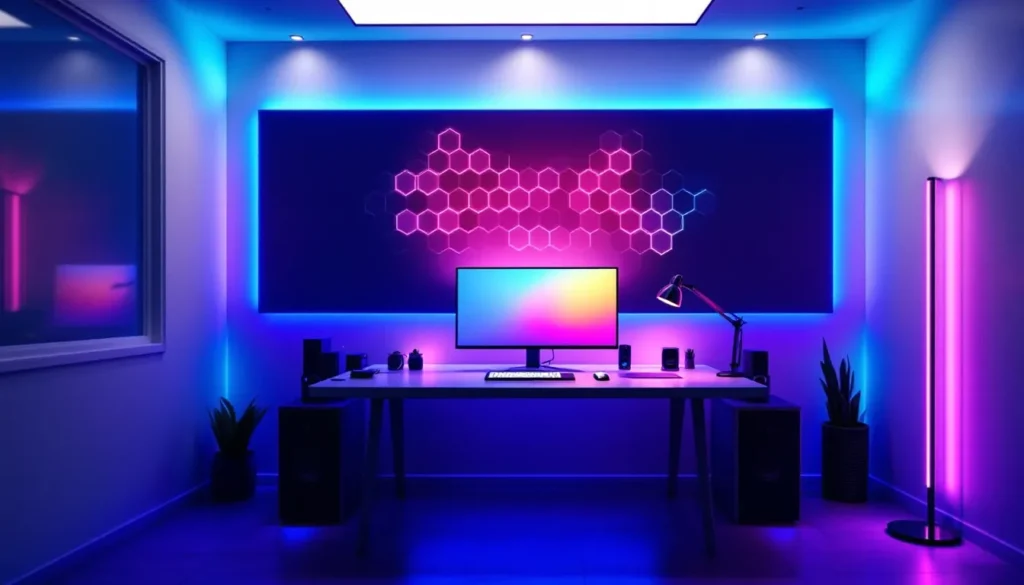
Your gaming rig might have a flagship GPU and a 240Hz monitor, but if your room lighting looks like a dentist’s office, you’re missing half the experience. Proper lighting doesn’t just make your setup look good for streams, it affects everything from how long you can game without eye strain to how immersed you feel in that horror game at 2 AM.
In 2026, gaming room lighting has evolved beyond simple RGB strips. We’re talking smart integration, game-reactive systems, and modular designs that transform your space into a dynamic extension of whatever world you’re exploring. Whether you’re building your first setup or upgrading from basic desk LEDs, this guide breaks down everything you need to know about lighting your gaming space the right way.
Key Takeaways
- Proper gaming room lights reduce eye strain and fatigue during long sessions by using bias lighting at 10-20% of your monitor’s brightness, eliminating the contrast that forces pupils to constantly adjust.
- Game-reactive lighting systems that sync with on-screen action create immersive atmospheres, with colors and effects that amplify immersion in RPGs, horror games, and cinematic experiences.
- LED strip lights and bias lighting are budget-friendly starting points ($15-60), while modular wall panels like Nanoleaf offer premium aesthetics ($150-300) with individually controllable animations.
- Strategic placement of indirect lighting—behind monitors, under desks, and in corners—prevents eye glare and creates depth without competing with your screen for visual attention.
- Smart home integration and game-syncing capabilities allow voice-controlled scene management and automatic lighting adjustments, though competitive gamers benefit most from static, distraction-free lighting profiles.
- Gaming room lighting trends in 2026 favor minimalist designs with quality fixtures and AI-adaptive systems over RGB overload, with sustainable low-wattage options becoming mainstream.
Why Lighting Matters for Your Gaming Experience
Reducing Eye Strain and Fatigue During Long Sessions
Staring at a bright monitor in a pitch-black room is like looking directly into the sun during a total eclipse, your eyes are doing Olympic-level gymnastics trying to adjust between the screen and your surroundings. This contrast forces your pupils to constantly dilate and contract, leading to headaches, dry eyes, and that groggy feeling after a marathon session.
Bias lighting behind your monitor creates a soft ambient glow that reduces this contrast. The sweet spot is lighting that’s about 10-20% of your monitor’s brightness. Your eyes don’t have to work as hard, and you can actually push through those raid nights without feeling like you’ve been staring at a welding arc.
The 20-20-20 rule still applies (every 20 minutes, look at something 20 feet away for 20 seconds), but proper ambient lighting makes those intervals between breaks far more comfortable. You’ll notice the difference after hour three when you’re not reaching for eye drops every ten minutes.
Creating Immersive Atmosphere and Ambiance
The right lighting setup doesn’t just prevent fatigue, it amplifies whatever you’re playing. Deep blue and purple tones during a space sim session hit different than overhead fluorescents. Warm oranges and reds during a fantasy RPG make your brain sink deeper into the world.
Modern game-reactive lighting takes this further. Systems that sync with on-screen action, flashing red during damage, pulsing with explosions, dimming during stealth sections, create a physical extension of the game world into your actual space. It sounds gimmicky until you experience a horror game where your room lights flicker in sync with in-game events. That immersion bump is real.
Even static setups benefit from thoughtful color choices. A consistent color scheme that matches your game’s aesthetic or your streaming brand makes your space feel intentional rather than cobbled together.
Enhancing Streaming and Content Creation Quality
If you’re streaming or recording content, lighting stops being optional and becomes production equipment. Viewers can forgive average audio before they’ll tolerate a dark, murky webcam feed where your face looks like a shadow demon.
Key lighting, usually a ring light or softbox positioned in front of you, eliminates harsh shadows and keeps your face evenly lit. But your background lighting matters just as much. RGB panels or LED strips behind you add depth and visual interest, preventing that flat, boring backdrop that screams “first-time streamer.”
Many professional streamers use three-point lighting: a key light in front, a fill light to soften shadows, and a backlight to separate them from the background. Combined with colorful accent lighting on walls or shelves, it creates that polished look that pulls in viewers and keeps them watching.
Types of Gaming Room Lights to Consider
RGB LED Strip Lights
The workhorse of gaming lighting. LED strips are adhesive-backed ribbons of RGB LEDs that stick to pretty much any surface. They’re cheap, versatile, and come in both basic color-changing models and advanced addressable RGB (ARGB) versions where each LED can display a different color simultaneously.
Standard RGB strips run around $15-30 for 16 feet and offer solid colors or basic patterns. ARGB strips cost $30-60 but unlock wave effects, color gradients, and more complex animations. Most connect via USB to your PC or use a standalone controller with a remote.
The catch? Cheaper strips have inconsistent color accuracy and die after a year. Look for brands with 5050 or 2835 LED chips and proper IP ratings if you’re mounting them anywhere near moisture. And check if they’re cuttable at specific points, you’ll probably need to trim them to fit your desk or monitor.
Smart Bias Lighting for Monitors
Bias lighting is specifically designed to sit behind monitors and reduce eye strain. Unlike random LED strips, proper bias lighting uses a neutral white (6500K) that doesn’t color-cast your screen’s display. This matters if you’re doing any photo editing or color-critical work.
Dedicated bias lighting kits like those reviewed by display testing experts typically feature even light distribution and are cut to standard monitor sizes (27″, 32″, ultrawide). They power via USB, making cable management simple since they can draw from your monitor’s USB port.
Some newer models add RGB capability, letting you switch between neutral white for work and colored modes for gaming. It’s the best of both worlds if you use your setup for multiple purposes.
Hexagonal and Modular Wall Panels
These geometric light panels, popularized by brands like Nanoleaf, turned gaming rooms into Instagram content. Hexagonal panels and triangular tiles snap together magnetically or via connectors, creating custom patterns on your wall.
They’re more expensive than strips ($150-300 for starter kits) but deliver a premium aesthetic. Each panel is individually controllable, enabling complex animations and reactive effects. Touch-sensitive models respond to physical interaction, which is either cool or entirely unnecessary depending on your personality.
The modular nature means you can start with a small set and expand over time. Just plan your layout before sticking them up, repositioning leaves adhesive residue and some kits have specific connection limitations on how panels can connect.
Floor and Corner Lamps
RGB floor lamps and corner lighting have blown up in 2025-2026. These tall, slim LED columns fit into corners or behind furniture, washing walls with color without the installation hassle of strips or panels.
They’re perfect for renters or anyone who doesn’t want to commit to adhesive mounting. Most feature app control, music sync, and preset scenes. Prices range from $40 for basic models to $150+ for smart-enabled versions with millions of color options.
Corner lamps excel at filling large spaces with ambient light. If you have a bigger gaming room, two or three strategically placed floor lamps create more even coverage than strips alone.
Ceiling and Overhead Lighting
Don’t ignore your ceiling. Smart bulbs in existing fixtures give you RGB control without new hardware. Philips Hue, LIFX, and Govee all make bulbs that screw into standard sockets and connect via Wi-Fi or Bluetooth.
For more dramatic effects, LED ceiling panels or recessed lighting create a “floating” effect. Some gamers install RGB strips in ceiling crown molding for indirect lighting that bounces off the ceiling. It’s softer than direct lighting and fills the room more evenly.
Overhead lighting works best as ambient fill rather than your primary light source. Keep it dim during gaming to avoid screen glare, then brighten it when you need functional lighting for setup adjustments or finding that controller you dropped.
How to Choose the Right Gaming Lights for Your Setup
Assessing Your Room Size and Layout
A 10×10 bedroom needs a different approach than a basement game cave. Small spaces (under 100 sq ft) work well with LED strips, bias lighting, and maybe one modular panel set. Overdoing it creates a chaotic mess where every surface competes for attention.
Larger rooms (150+ sq ft) need multiple light sources to avoid dark corners. Combine strips with floor lamps or ceiling lights to create layers. Walk around your space and identify dead zones, areas that’ll stay dark with only desk lighting. Those spots need targeted solutions.
Room layout matters too. If your desk faces a window, you’ll fight daylight during streaming. If your setup is in a corner, you’ll need more backlighting to prevent that cave-like feeling. Map out where you’ll actually place lights before buying anything.
Matching Lights to Your Gaming Aesthetic
Your lighting should complement your setup’s vibe, not fight it. Minimalist black-and-white battlestations look sharp with neutral white strips and maybe subtle accent colors. RGB-explosion builds with multiple monitors and flashy peripherals can handle hexagonal panels and aggressive color schemes.
Consider your main game genres. If you’re deep into cyberpunk games, neon pinks and electric blues feel natural. RPG and fantasy players might lean toward warm ambers and deep purples. Competitive FPS gamers often prefer cleaner, less distracting setups with minimal color shifts.
Streaming adds another layer. Your lighting becomes part of your brand. Pick colors that work with your overlays, alerts, and overall channel aesthetic. Consistency across these elements looks professional.
Budget Considerations and Value
You can build a solid lighting setup for $50-100 using basic LED strips and a smart bulb. Mid-range setups ($150-300) add modular panels or premium strips with better color accuracy and longevity. High-end builds ($400+) incorporate multiple Nanoleaf sets, professional streaming lights, and full smart home integration.
Don’t blow your entire budget on lights if your monitor is trash or your chair is giving you back problems. Lighting enhances a good setup: it doesn’t fix a bad one. Prioritize core components first, then layer in lighting as budget allows.
Watch for diminishing returns. That $200 modular panel set looks incredible, but $30 in strategically placed LED strips gets you 70% of the way there. Spend where it matters to your specific use case.
Setting Up Your Gaming Room Lighting
Optimal Placement for LED Strips and Backlighting
For monitor backlighting, place strips along the top and sides of your display’s rear edge. The light should project onto the wall behind the monitor, not directly into your eyes. Leave the bottom edge unlit if your desk is against a wall, lighting that section just illuminates your desk surface.
Desk underside strips create a floating effect. Run them along the back edge of your desk facing the wall, or along the front edge facing down for a subtle floor glow. Avoid placing them where they’ll shine directly at your legs, it’s distracting.
Behind furniture, inside shelves, and along the top of your room’s trim are all prime real estate. The goal is indirect lighting that bounces off surfaces rather than pointing at your eyeballs. Many professional player setups showcase how indirect lighting maintains focus while adding atmosphere.
Positioning Accent and Ambient Lights
Modular wall panels work best at eye level or slightly above when you’re seated. Too high and they become ceiling decorations you never notice. Too low and they’re in your peripheral vision, competing with your monitor.
Floor lamps belong in corners or behind your chair. Position them to cast light upward and outward, filling the room without creating glare on your screen. If you’re streaming, place one behind you on each side for balanced backlighting.
Avoid putting bright lights within your direct line of sight to your monitor. That includes RGB fans in PC cases, if they’re at eye level and bright enough to distract, dim them or adjust their positioning.
Cable Management and Power Solutions
Nothing kills a clean lighting setup faster than cables snaking everywhere. USB-powered strips can chain together, reducing the number of outlets you need. Some strips include daisy-chain connectors letting you run 20+ feet from a single power source.
Cable channels and raceways hide runs along walls or under desks. They’re cheap ($10-15 for a pack) and keep things looking professional. Velcro cable ties bundle excess length without the permanence of zip ties.
Power is the real challenge. RGB strips, panels, lamps, and your PC all need juice. A good power strip with 8-10 outlets becomes essential. Smart power strips that cut power to accessories when your PC sleeps prevent that annoying glow when you’re trying to sleep in the same room as your setup.
Smart Lighting Integration and Automation
Connecting Lights to Your Gaming Ecosystem
Most modern RGB lighting uses one of three ecosystems: proprietary apps (Govee, Nanoleaf), smart home platforms (Alexa, Google Home, HomeKit), or PC integration (ASUS Aura, Razer Chroma, Corsair iCUE). Mixing ecosystems works but requires separate apps for each.
The cleanest setups pick one ecosystem and stick with it. If you’re already invested in Razer peripherals, Razer-compatible lights eliminate app-switching. Same for Corsair or ASUS builds. You control everything from one interface.
Smart home integration adds voice control and automation. “Alexa, gaming mode” can trigger a preset lighting scene. Google Home routines can dim lights automatically at a set time. HomeKit users get the tightest iOS integration. It’s quality-of-life stuff that feels unnecessary until you use it daily.
Syncing with Games and On-Screen Action
Game-reactive lighting analyzes on-screen content and mirrors it on your lights. Philips Hue Sync, Govee Envisual, and Razer Chroma all offer versions of this. Setup requires software running on your PC that captures your display output.
The effect works best with cinematic games, red flashes during damage, green during health pickups, environmental colors matching the scene. For competitive gaming, it’s mostly a distraction. You don’t want your room flashing during a ranked match.
Performance impact is minimal on modern systems (2-5 FPS at most), but running screen capture software does add CPU overhead. If you’re already pushing your rig hard, stick with static lighting during gameplay.
Voice Control and App-Based Management
App control is standard now. Most lighting brands offer smartphone apps with color wheels, preset scenes, brightness sliders, and scheduling. The good ones include scene-sharing communities where users upload custom configurations.
Voice control through Alexa or Google Assistant lets you adjust lighting without tabbing out of a game. “Set lights to 30%” or “Change to blue” works surprisingly well once you map out commands. It’s especially clutch during streams when you can’t reach a controller.
Some systems support IFTTT (If This Then That) for advanced automation. Trigger lighting changes based on Twitch events, Discord notifications, or time-based schedules. It’s overkill for most people but lets you build elaborate reactive setups if that’s your thing.
Color Theory and Lighting Effects for Gaming
Best Color Schemes for Different Game Genres
Competitive FPS and MOBA: Keep it simple. White or single-color blue reduces distractions and maintains focus. Many high-level players avoid dynamic effects entirely during ranked play. Your room lighting shouldn’t pull attention from what’s happening on screen.
RPGs and story-driven games: Warm colors, oranges, reds, ambers, create cozy, immersive environments. Purple and deep blue work for fantasy settings. Match your lighting to the game’s dominant palette. Playing through a cyberpunk game? Neon pinks and electric blues amplify the aesthetic.
Horror games: Dim red or purple maintains visibility without killing the atmosphere. Full darkness is too dark, but bright white lights wreck the tension. Some players use color-changing effects that react to jump scares, though that might be too intense depending on your horror tolerance.
Racing and sports: High-energy colors, bright blues, greens, reds, match the fast-paced action. Dynamic effects that pulse with music or change based on game events complement the vibe without distracting from precision gameplay.
Many gaming setup guides explore how different color temperatures affect both mood and performance across various game types.
Dynamic vs. Static Lighting Effects
Static lighting maintains consistent colors without movement or patterns. It’s clean, non-distracting, and professional-looking. Most competitive gamers and streamers stick with static schemes during active play. You pick your colors, set your brightness, and forget about it.
Dynamic effects, waves, pulses, color cycles, reactive patterns, add visual interest but can become tiresome. That rainbow wave effect looks great for the first hour, then becomes background noise you don’t notice. Or worse, it becomes actively annoying.
The sweet spot? Static lighting during gameplay, dynamic effects during breaks or when you’re showing off the setup. Many systems support multiple saved scenes you can switch between. Have a “focus” profile for gaming and a “showcase” profile for streams or guests.
Dynamic effects shine during casual play or single-player games where immersion matters more than competitive focus. Let your lights react during that new RPG release, then flip back to static blue for ranked matches.
Common Mistakes to Avoid When Lighting Your Gaming Room
Pointing lights directly at your eyes or monitor. LED strips facing outward create glare and discomfort. Always angle lights toward walls or surfaces to bounce light indirectly. Your lights should create ambiance, not blind you.
Using pure white LEDs for extended gaming sessions. Cool white (5000K+) increases eye strain over time. If you want white lighting, aim for warm white (3000-3500K) or neutral white (4000K). Save the bright cool white for task lighting when you need to see clearly, not for gaming marathons.
Ignoring color rendering index (CRI) for streaming. Cheap RGB strips often have terrible CRI, making skin tones look weird on camera. If you stream, invest in higher-CRI lighting (80+) for areas that’ll be on camera. Your face shouldn’t look like a zombie because you saved $15 on lights.
Over-lighting everything. More isn’t always better. A room full of competing light sources looks chaotic and distracting. Pick 2-3 primary light sources and layer from there. Strategic lighting beats quantity every time.
Not planning power and cable runs before mounting. Sticking strips up, then realizing the power cable won’t reach, means either ugly extension cords or removing and repositioning everything. Measure twice, mount once.
Mixing incompatible smart systems without research. That Philips Hue strip won’t sync with your Govee app. That Nanoleaf panel won’t connect to Razer Synapse. Before buying, confirm everything works together or accept that you’ll juggle multiple apps.
Forgetting about light bleed and reflections. Lights behind your monitor can reflect off glossy screens. Bright strips below your desk might reflect off glasses or create distracting floor glare. Test positioning before permanent mounting.
Top Gaming Room Lighting Trends in 2026
AI-powered adaptive lighting has become mainstream. Systems that automatically adjust color temperature based on time of day, game content, or even your biometrics (via smartwatch integration) are shifting from novelty to standard features. They’re meant to reduce eye strain and maintain circadian rhythm, though whether they actually work long-term is still debated.
Minimalist setups with premium materials are pushing back against RGB overload. More gamers are opting for single-color or neutral schemes with high-quality fixtures rather than budget rainbow chaos. Think brushed aluminum housings, seamless integration, and architectural lighting rather than gamer-focused products.
3D-printed custom light diffusers and mounts let people create unique shapes and effects. With affordable resin printers, gamers design custom housings for LED strips, turning basic components into one-of-a-kind installations. The maker community around gaming lighting has exploded.
Thread and Matter protocol adoption is solving the smart home fragmentation problem. Lights that support these standards work across Alexa, Google, HomeKit, and SmartThings without brand-specific hubs. 2026 is the first year where “works with everything” is actually becoming true.
Projection mapping for walls and ceilings is trickling down from commercial installations. Compact projectors that cast animated patterns or game-related visuals across entire walls are becoming affordable ($200-400 range). It’s more immersive than traditional lighting but requires blank wall space and careful calibration.
Sustainability-focused RGB lighting with lower power consumption and longer lifespans has become a selling point. As electricity costs rise in many regions, low-wattage LED systems that deliver the same brightness with half the power draw are gaining traction. Some brands now advertise 10-year lifespans rather than the typical 2-3 years.
Conclusion
Gaming room lighting has evolved from a nice-to-have aesthetic upgrade to a functional component that affects performance, health, and content quality. The difference between a well-lit setup and slapping random RGB strips everywhere comes down to intentional choices, understanding why you’re adding lighting, not just making things glow.
Start with the basics: bias lighting to reduce eye strain, ambient lighting to create atmosphere, and task lighting if you stream. Layer from there based on your room size, budget, and aesthetic preferences. The most impressive setups aren’t always the brightest or most colorful, they’re the ones where every light serves a purpose and contributes to the overall experience.
Whether you’re building your first setup or upgrading an existing one, proper lighting is one of the most noticeable improvements you can make. Your eyes, your viewers, and your 3 AM gaming sessions will all thank you for getting it right.